
Download Uberduck – AI Voice Automation, Text‑to‑Speech, Custom Voice Clones & Rap Generator
Overview
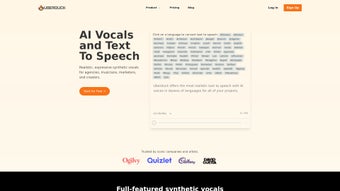
Uberduck is a rapidly growing voice automation platform that blends cutting‑edge text‑to‑speech (TTS) technology with a developer‑friendly API. Whether you are building an interactive chatbot, a podcast narrator, or a personalized rap track, Uberduck provides more than 5,000 expressive voices ranging from classic announcers to quirky character tones. The standout feature is the **Custom Voice Clone** system, which lets you upload a handful of audio samples and receive a synthetic voice that mirrors the original speaker with astonishing fidelity.
In addition to voice generation, Uberduck offers a creative “AI‑Generated Rap” service that automatically composes rap verses, syncs them to lyric videos, and delivers a ready‑to‑publish audio file. The platform is backed by comprehensive API documentation, an active Discord community, and a regularly updated blog that shares best practices, new voice releases, and integration tips. Looking ahead, Uberduck is preparing to launch **Uberbots**, a suite of interactive voice and chat bots, and you can join the early‑access waitlist today.
Overall, Uberduck positions itself as a versatile, secure, and constantly evolving tool for developers, marketers, and creators who need high‑quality synthetic speech without the overhead of building their own models.
Key Features & Capabilities
- 5,000+ Expressive Voices: A massive library covering multiple languages, accents, ages, and styles, all instantly accessible via API.
- Custom Voice Clones: Upload as little as 30 seconds of source audio to generate a unique, royalty‑free voice clone.
- AI‑Generated Rap Engine: Input lyrics or keywords and receive a fully produced rap track with accompanying lyric video.
- RESTful API & SDKs: Well‑documented endpoints for speech synthesis, voice cloning, and rap generation; SDKs available for JavaScript, Python, and Node.js.
- Real‑time Streaming: Low‑latency streaming mode for live applications such as virtual assistants or interactive games.
- Secure Authentication: API keys are encrypted, and rate‑limiting prevents abuse, ensuring a safe environment for enterprise use.
- Versioned Updates: New voices and model improvements are rolled out weekly, with changelogs provided in the developer portal.
- Community Support: Dedicated Discord server, weekly AMA sessions, and a public roadmap for transparent development.
- Scalable Pricing: Free tier with 100,000 characters per month; paid plans include higher limits, priority support, and custom SLA options.
- Compliance Ready: GDPR‑compliant data handling and optional on‑premise deployment for highly regulated industries.
Installation, Configuration & Usage Guide
Getting Started – Account Creation & API Key
1. Visit uberduck.ai and click “Sign Up”. You can register using an email address or through GitHub/Google OAuth.
2. After confirming your email, navigate to the Dashboard → API Keys section. Generate a new key; this will be your primary credential for all HTTP requests.
Keep it secret—do not embed it directly in client‑side code.
Installation – SDKs & Command‑Line Tool
Uberduck offers official SDKs for the most common environments. Below is a quick example for Node.js:
npm install @uberduck/sdk
const Uberduck = require('@uberduck/sdk');
const client = new Uberduck({ apiKey: 'YOUR_API_KEY' });

async function synthesize() {
  const result = await client.speak({
    voice: 'en_us_ryan',
    text: 'Welcome to Uberduck, the future of AI voice.'
  });
  console.log('Audio URL:', result.location);
}
synthesize();
For Python, replace the package name with uberduck and follow similar steps. A lightweight CLI is also available:
pip install uberduck-cli
uberduck speak --voice en_us_ryan --text "Hello, world!" --output hello.mp3
Creating a Custom Voice Clone
1. Prepare 5‑10 short audio clips (10‑30 seconds each) of the target speaker. Ensure clean background noise and consistent microphone placement.
2. Upload the clips via the Voice Clone tab in the dashboard.
3.Uberduck processes the samples (usually 10‑15 minutes) and returns a new voice identifier.
4. Use this identifier in any API call exactly like a built‑in voice.Generating an AI Rap
The rap endpoint accepts a JSON payload with
lyrics(or a keyword prompt),style, and optionalbeatselection. Example:POST https://api.uberduck.ai/rap { "voice": "custom_clone_123", "prompt": "Artificial intelligence taking over the world", "style": "old‑school", "beat": "hiphop_01" }The response contains a URL to the final MP3 and a thumbnail for the lyric video. You can embed the track directly into web pages, mobile apps, or social media posts.
Best Practices for Production
- Cache generated audio URLs for up to 30 days to reduce API calls.
- Implement exponential back‑off on 429 (rate‑limit) responses.
- Validate user‑provided text to avoid profanity or disallowed content.
- Use HTTPS for all requests and store API keys in environment variables or secret managers.
Compatibility, Pros & Cons, and Frequently Asked Questions
Supported Platforms (itemprop="operatingSystem")
- Windows 10/11 – Full SDK support and CLI.
- macOS 12+ – Native Python & Node.js libraries.
- Linux (Ubuntu, Debian, CentOS) – Docker images and server‑side deployment.
- Android – REST API integration via Kotlin/Java.
- iOS – Swift SDK and HTTP client examples.
Pros
- Vast voice library with multilingual coverage.
- Custom voice cloning requires minimal audio input.
- Developer‑first API with clear documentation and example code.
- Innovative rap generation that saves time for content creators.
- Scalable pricing model suitable for hobbyists and enterprises.
Cons
- Free tier limits may be restrictive for high‑volume projects.
- Latency can increase for complex custom voice generation.
- Advanced features (e.g., on‑premise deployment) are only available on higher‑price plans.
- Audio quality varies slightly between low‑resource and premium voices.
FAQ – Frequently Asked Questions
How many characters can I synthesize per month on the free plan?
The free tier provides up to 100,000 characters monthly, which is sufficient for testing, small podcasts, or personal projects.
Is my uploaded audio for voice cloning stored permanently?
Uploaded samples are encrypted and retained for 30 days only, after which they are automatically purged unless you opt for extended storage in a paid plan.
Can I use Uberduck’s voices for commercial products?
Yes. All generated audio under a paid subscription is royalty‑free for commercial use, provided you comply with the platform’s content policy.
What latency should I expect for real‑time streaming?
Streaming mode typically delivers sub‑second latency (≈ 300‑800 ms) on standard cloud regions. Performance improves with dedicated servers or edge locations.
Is there a way to test the API without writing code?
The Uberduck dashboard includes an interactive “Playground” where you can select a voice, enter text, and instantly hear the result without any programming.
Uberduck strikes an impressive balance between breadth of voice options and developer convenience. The custom voice cloning feature is a game‑changer for small studios, and the rap generator adds a fun, viral‑ready dimension. While the free tier’s character limit can feel tight for larger projects, the pricing is transparent and scales well. Overall, it earns a solid 4.5‑star rating for innovation, reliability, and community support.
Conclusion & Call to Action
In a market crowded with generic TTS services, Uberduck distinguishes itself through its massive voice catalog, the ability to craft personal voice clones, and a playful rap‑generation engine that appeals to creators of all stripes. The platform’s robust API, comprehensive documentation, and active community make it a practical choice for developers building chatbots, e‑learning modules, or immersive gaming experiences. While the free tier may require an upgrade for high‑volume usage, the transparent pricing and enterprise‑grade security give confidence for commercial deployment. If you’re looking for a secure, constantly updated voice automation tool that can scale from hobby projects to enterprise applications, Uberduck is worth a serious look.
Ready to give your applications a unique voice? Create a free account now, generate your first audio clip, and explore the possibilities of custom voice clones and AI‑generated rap tracks. Join the Discord community for real‑time support and stay ahead of the upcoming Uberbots release by signing up for the early‑access waitlist today.



.png)



